Skip to content
hehe88 App / Slots
LIVE LOBBY

hehe88 — Live Tables, Slots and Cricket Betting with bKash

Titles from JDB, Pragmatic Play and Spadegaming sit alongside a cricket sportsbook, all accessible from your phone with bKash or Upay already in the payment row. Access depends on your local law and eligible region — when that's confirmed, the lobby is one tap away.

bKash Nagad Rocket
Browse games
CONTENT / 01

Games We Get Asked About Most

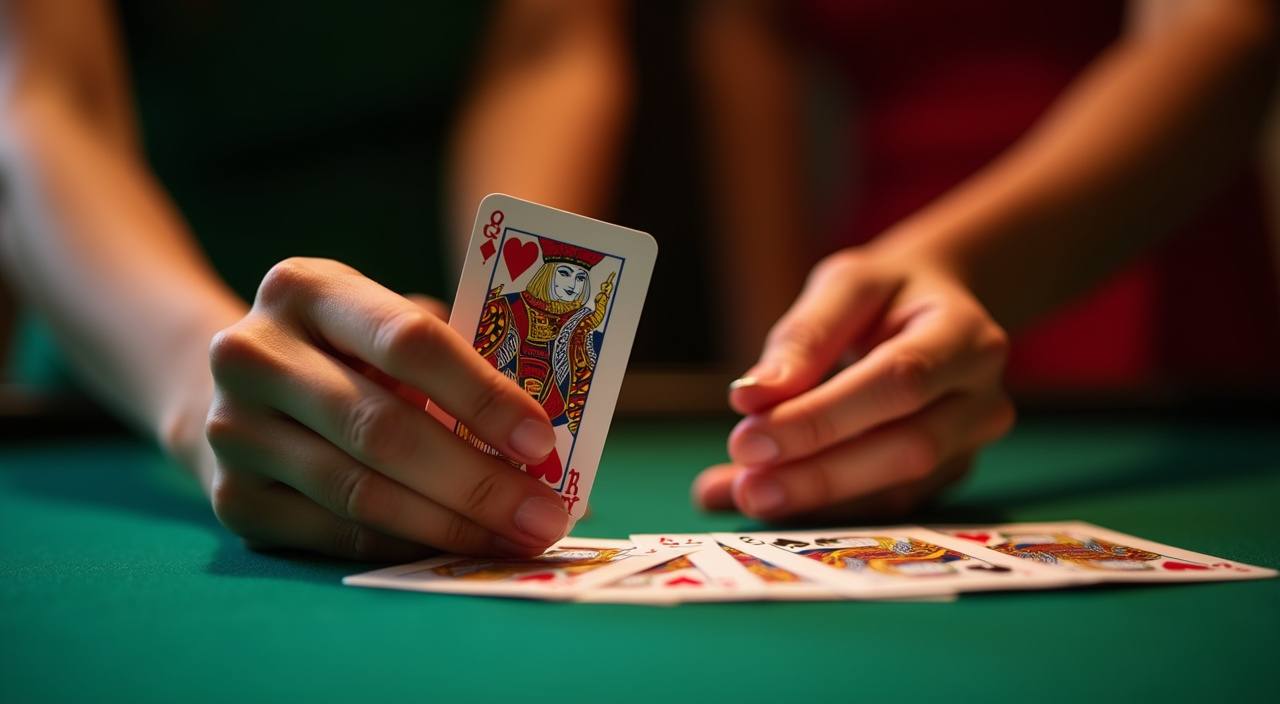
Dragon Tiger Bangladesh draws fast-round card action and sits near the top of the live casino rail for a reason — rounds resolve quickly, which suits a short session on mobile. Roulette Wildcard adds a variant spin to the standard table, with a prize structure shown directly in the game interface rather than on a separate page.

  • Dragon Tiger Bangladesh

    A fast live card game where each round settles on a single draw. The result is immediate, the bet choices are narrow, and the pace suits a five-minute session as well as a longer sit-down. Find it in the live casino rail under JDB and Pragmatic Play rows.

  • Roulette Wildcard

    A variant roulette table with a prize symbol added to the wheel layout. The mechanic is explained inside the game window — tap the info icon before your first spin to read how the wildcard position interacts with standard number bets. Available in the table games section.

  • Football FastGoal

    A sports-style fast market built around goal timing rather than full-match outcomes. Rounds are short and the market closes before kick-off on each micro-event. Check the sportsbook tab for current availability and any region-specific access conditions shown at login.

DISCOVER / 01

Choose your game

Full lobby
CRICKET AND SPORTS

Cricket Betting at hehe88 — What the Category Covers

Cricket is the sports category we hear about most from Bangladesh, and for good reason — IPL, BPL and international fixtures run through most of the year. The sportsbook tab on the hehe88 lobby shows the current match list and available markets for each fixture.

  • Cricket Markets

    IPL, BPL and international test and T20 fixtures are covered in the sportsbook tab. Market types vary by fixture — match winner, over totals and innings options are among the formats shown. The exact market list for each game is displayed when you open that fixture inside the sports section.

  • Football FastGoal

    A fast-format sports product where markets open and close around short match events rather than full ninety-minute outcomes. The result settles quickly, making it a natural companion to the cricket schedule on days when live fixtures are between innings or in a rain delay.

  • Live Casino Sports Crossover

    Your account wallet covers both the sportsbook and the live casino from one balance. Switch between a cricket market and a Dragon Tiger Bangladesh table without leaving the lobby or moving funds manually — the same session carries across both sections.

GAME NETWORK
JDB
Pragmatic Play
Spadegaming
PlayStar
Joker
CONTENT / 04

hehe88 lobby studios

The hehe88 lobby carries content from JDB, Pragmatic Play, Spadegaming, PlayStar, Joker. To check the studio, rules or features of one specific game, open that game card or the published information panel.

  • JDB

  • Pragmatic Play

  • Spadegaming

  • PlayStar

  • Joker

ACCOUNT DASHBOARD

What Is Currently Running — Check Your Account

Any information or account gameplay is shown in your account dashboard after you log in. We do not list scheduled dates or amounts here because the current state of what is available is always more accurate inside your account than on a marketing page.

  • Dashboard Check

    Log in and open the account dashboard to see the current state of any offer or gameplay attached to your account. The balance and any credited amount show at the top of the screen. This is always more current than any landing page description, so start there when you have an account question.

  • Wallet Credits

    When an amount is added to your account as a result of a qualifying action, it appears in your wallet balance immediately. You can see the transaction in your account history under the wallet section. If the credit is not visible after the expected action, contact support directly from the account screen.

  • In-Game Mechanics

    Bonus rounds, prize symbols and gameplay inside slot titles are game mechanics set by the studio — JDB, Pragmatic Play, Spadegaming, PlayStar or Joker. These are separate from account-level offers. The in-information panel for each title explains how the mechanic works and what it pays.

Login
HEHE88
Mobile casino lobby
Popular Live Slots
Roulette Wildcard Dragon Tiger Bangladesh Football FastGoal
MOBILE LOBBY

Built for phones, clear on desktop

Cards, tables, FAQ and policy pages stay easy to read on smaller screens.

  • Quick categories
  • Mobile first
  • Access
App
CONTENT / 03

Using hehe88 on Your Mobile Screen

The lobby layout on a phone is built around thumb reach — the category bar, the game grid and the wallet shortcut all sit within the lower half of the screen so you are not stretching to navigate.

  • Thumb-Friendly Layout

    The category bar, game rows and wallet shortcut are positioned for one-handed use on a small screen. Switching between live casino, slots and the sportsbook tab does not require scrolling back to the top — the navigation stays fixed at the bottom of the mobile view throughout your session.

  • Returning User Flow

    When you log back in on your phone, the lobby loads at the section you were last browsing rather than the default home position. Your wallet balance shows immediately in the top bar. This is designed for the returning member who already knows the layout and wants to move directly to their category.

  • Rocket Quickcash on Mobile

    Rocket Quickcash is a short-format game that fits naturally into a mobile session — rounds settle quickly and the screen layout is optimised for portrait mode. Find it in the catalogue using the search bar or the relevant studio row, and the game loads directly in your mobile browser without any separate download.

LOCAL PAYMENTS

bKash, Upay, Nagad and Rocket for Account Deposits

The payment section of your account shows the methods available for your region at the time of your transaction. bKash and Upay are the two verified payment rails on hehe88 — both are mobile wallet options familiar to Bangladesh account holders, and the deposit flow follows the same tap pattern you use for other bKash or Upay transactions.

  • bKash

    bKash is a verified deposit method on hehe88 for supported Bangladesh accounts. The deposit flow in the wallet section follows the standard bKash confirmation pattern — enter the amount, confirm with your bKash PIN as prompted on screen, and the credit appears in your account wallet once the transaction is confirmed.

  • Upay

    Upay is the second verified payment rail on hehe88. It works through the same wallet section as bKash — select Upay from the method list, enter your amount, and follow the on-screen steps. If you use Upay for other mobile payments already, the confirmation flow will feel familiar.

  • Nagad

    Nagad is available for supported regions and appears in the payment method list within your account wallet if it is active for your account. Check the payment tab after login to confirm availability. The deposit and withdrawal steps are shown in full during the transaction flow.

  • Rocket

    Rocket payment is listed for supported accounts in Bangladesh. Open the wallet section, select Rocket from the available methods, and follow the confirmation steps displayed on screen. Your transaction history under the wallet tab records the status of each Rocket transaction separately.

Banking
ACCOUNT PATH

Your First Session on hehe88 — Four Steps

The first session on hehe88 covers four short steps: open an account, verify the details shown on the registration screen, make a first deposit using bKash or Upay, and then open the lobby to pick a category.

  1. Step 1 — Open Your Account

    Go to the account registration page and fill in the details shown on the form. Your wallet is created as part of registration — you do not need to set it up separately. Follow the field labels and verification instructions exactly as shown; the form will indicate if any field needs correction before you can proceed.

  2. Step 2 — Verify Your Details

    After submitting your registration, you may be asked to complete a verification step shown on screen. Follow the instructions as they appear — the required action is always described on the page you land on after registering. Keep your mobile number accessible as it may be used in the verification flow.

  3. Step 3 — Make Your First Deposit via bKash or Upay

    Open the wallet section from the top bar after login. Select bKash or Upay from the payment method list and enter the amount you want to deposit. Follow the confirmation steps shown on screen — including any reference number or PIN prompt. Your balance updates once the transaction is confirmed.

  4. Step 4 — Open the Lobby and Choose a Category

    With your wallet funded, tap the category you want — live casino, sportsbook or slots. The game grid loads the catalogue from studios including JDB, Pragmatic Play and Spadegaming. Your account balance stays visible in the top bar throughout, and the support chat is one tap away if you have a question.

MEMBER DESK / 06

Offers, support and account controls

01

Game lobby

02

Payment guide

03

Support

ACCOUNT SUPPORT

Getting Help with Your hehe88 Account

Support for your hehe88 account is accessible directly from the account screen after login — look for the chat or help icon in the menu. If you have a question about a payment, a transaction status or an account access issue, the support team can work from your actual account details, which is faster than resolving the issue through a general contact form.

  • Live Chat Support

    The live chat option is accessible from the account menu after login. It connects you directly to the support team who can view your account and transaction history. For bKash or Upay deposit questions, having your transaction reference from the wallet history tab ready will help the agent respond without needing extra back-and-forth.

  • Payment and Wallet Help

    If a deposit or withdrawal does not appear as expected, check the wallet history tab first — each transaction shows its method, amount and current status. If the status shows pending longer than the screen indicates, contact support from the account screen with the transaction reference. The team handles bKash, Upay, Nagad and Rocket queries.

  • Account Access Issues

    If you cannot log in, the support contact route is shown on the login page — you do not need to be inside the account to reach it. For password reset or verification issues, follow the steps on the login screen first. If those steps do not resolve the access problem, contact support with your registered mobile number ready.

TRUST / 03

Account Controls and Access Conditions on hehe88

Your hehe88 account includes controls that let you manage how you use the platform — these are found in the account settings section after login. Access to the lobby and its categories depends on your location and the eligibility conditions applicable in your region; this is shown at login and during account registration.

  • Account Settings

    The account settings page is accessible from the menu after login. It shows your registered details, transaction history and current account status. If you need to update your contact number or review a past deposit, this is where those records sit. Changes to account details may require a verification step shown on screen.

  • Eligibility and Access

    Access to hehe88 and its lobby categories depends on your local law and the eligible regions shown during account registration. If your region's eligibility status changes, you will see a notification at login. We do not override local access restrictions — the conditions shown on the registration and login screens are the current ones.

  • Transaction Records

    Every deposit and withdrawal is recorded in the wallet history tab with the method, amount, date and status. If you use bKash, Upay, Nagad or Rocket, each transaction appears as a separate entry. This record is useful for cross-checking with your mobile wallet history if a transaction status is unclear.

  • Terms and Conditions

    The full terms and conditions for account use, eligibility and payment conditions are on the dedicated terms page accessible from the footer. We update those terms when conditions change — the version shown on that page is always the current one. Check it when you register and again if your usage pattern or local regulations change.

Learn more →
PLAYER INDEX / 07

Quick Glossary — Game Mechanics on hehe88

A short reference for the game terms you will encounter in the hehe88 lobby, particularly if you are coming to the casino section for the first time. These are the standard meanings used across the catalogue from studios including JDB, Pragmatic Play and Spadegaming.

Player guide and glossary
  • What is a bonus round in a slot game?

    A bonus round is a game mechanic built into a slot title by the studio. It is triggered by a specific symbol combination on the reels — the exact trigger condition is shown in the game's information panel. During a bonus round, the game switches to a different reel set or award structure as defined by the studio. It is a feature of the game itself, not an account-level offer.

  • What does RTP mean and where do I find it?

    RTP stands for Return to Player and describes the theoretical percentage of wagers a game returns over a large number of rounds. hehe88 only shows RTP figures where the studio or provider publishes them inside the game.

  • What is a jackpot in a slot context?

    In slot game vocabulary, a jackpot is the highest prize tier available in that title, reached by a rare symbol combination defined by the game studio. The jackpot value and the combination that pays it are shown in the game's paytable, accessible via the information panel inside the title. It is a game mechanic, not a platform promise.

  • What is Dragon Tiger and how does it work?

    Dragon Tiger Bangladesh is a live card game in the hehe88 live casino section. Each round deals one card to the Dragon position and one to the Tiger position; the higher card wins. Bet options and payout values are shown at the table before each round opens. It is one of the faster live casino formats available in the lobby.

  • What does 'volatility' mean for a slot?

    Volatility describes how a slot distributes its prize payments — low volatility titles pay smaller amounts more frequently; high volatility titles pay larger amounts less often. The studio sets the volatility level for each title. Where a studio makes this information available, it appears in the information panel. PlayStar and Spadegaming titles in the hehe88 catalogue cover a range of volatility styles.

  • What is a live casino table?

    A live casino table is a game hosted by a real dealer filmed in a studio environment, streamed to your screen in real time. You place bets via the on-screen interface and the dealer manages the physical cards or wheel. Pragmatic Play provides live casino table content in the hehe88 lobby, including baccarat, roulette and blackjack variants.

  • What is Rocket Quickcash?

    Rocket Quickcash is a short-format game in the hehe88 catalogue designed for fast rounds. It is not a payment method — it is a game title in the lobby. The name reflects the pace of the game mechanic rather than any connection to the Rocket mobile wallet. Find it using the lobby search bar or browse the relevant studio row.

Full glossary
LOBBY / 02

One mobile lobby, distinct game areas

Roulette Wildcard Live Roulette Wildcard Access → Dragon Tiger Bangladesh Slots Dragon Tiger Bangladesh Access → Football FastGoal Sports Football FastGoal Access → Rocket Quickcash Slots Rocket Quickcash Access → Mobile App Guide Bangladesh Slots Mobile App Guide Bangladesh Access → Fast Register Bangladesh Slots Fast Register Bangladesh Access →
EXPLORE FURTHER / 04

Explore detailed guides

Local lobby check

QUICK ANSWERS

Frequently asked questions

Questions we hear from Bangladesh account holders during their first session on hehe88 — covering account setup, deposits, lobby navigation and support access.

Read FAQ →
How do I open a hehe88 account from Bangladesh?

Go to the account registration page on hehe88 and fill in the fields shown on the form. Your wallet is created automatically as part of the registration process. After completing the form, follow any verification step shown on screen — this typically involves your registered mobile number. Once verified, you can log in and access the lobby. Access depends on your local law and the eligible regions shown at registration.

Can I deposit using bKash on hehe88?

Yes, bKash is a verified deposit method on hehe88 for supported Bangladesh accounts. After login, open the wallet section from the top bar, select bKash from the payment method list, enter the amount and follow the confirmation steps shown on screen. The confirmation flow uses the standard bKash pattern. Your wallet balance updates once the transaction is confirmed, and the entry appears in your wallet history tab.

Is Upay accepted on hehe88?

Upay is the second verified payment rail on hehe88. It appears in the payment method list in your wallet section after login. Select Upay, enter your deposit amount and follow the on-screen steps. If Upay is not showing in your payment list, check whether it is active for your account region — the available methods for your account are always shown in the payment tab after login.

Where do I find the games lobby after logging in?

The lobby is the default screen after login. The category bar at the top or bottom of the screen — depending on whether you are on mobile or desktop — lets you switch between slots, live casino and the sportsbook. The studio filter above the game grid lets you narrow the catalogue by JDB, Pragmatic Play, Spadegaming, PlayStar or Joker.

What cricket betting markets does hehe88 cover?

The sportsbook tab covers international cricket fixtures including IPL and BPL, alongside other international test and T20 matches. Market types vary by fixture and are shown when you open the individual match inside the sports section.

What do I do if my bKash deposit does not appear in my wallet?

Open the wallet section and check the transaction history tab first — each deposit shows its method, amount and current status. If the entry shows a pending status, allow a short period before checking again. If it remains pending or does not appear at all, contact support from the account screen with your bKash transaction reference ready. The support team can check the payment status directly against your account.

How do I contact hehe88 support?

Support is accessible from the account menu after login — look for the chat or help icon. For pre-login access issues, the support contact route is shown on the login page. The team handles Bangladesh account questions in English, including bKash and Upay transaction queries. Current support availability is shown inside the support section of your account; we do not publish fixed hours here as they are subject to change.

Does hehe88 work on my phone without downloading an app?

Yes, hehe88 is accessible through your mobile browser without a separate download. The lobby layout is built for small screens — the navigation sits within thumb reach and the game grid loads in portrait mode.

READY WHEN YOU ARE

hehe88 game lobby

Access may be available only where local law permits.

Register Login